

You can filter the Expenses Report to display expenses for any date range.
Steps:
Go to the Expenses Module
Click the Filter menu.
Select the Date Filter
Select the Custom Date Range.
Set the Start Date
Set the End Date
Click the Export Tab .
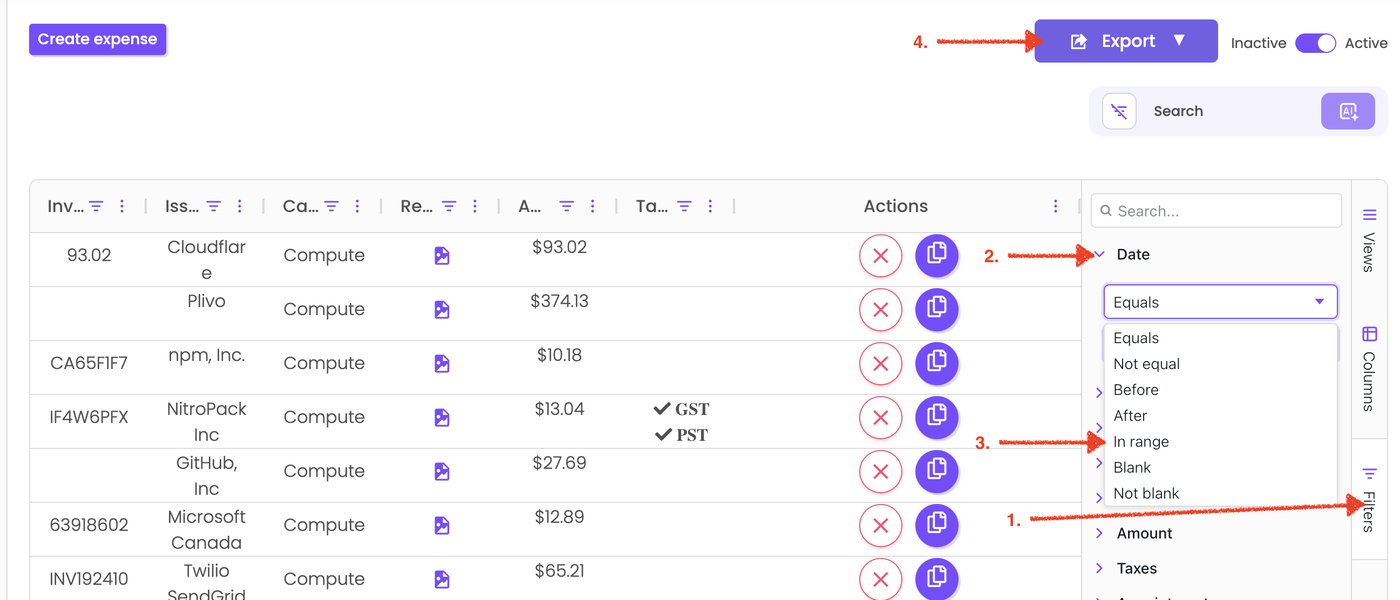
The report will now display only the expenses within the selected date range, rather than all historical expenses.