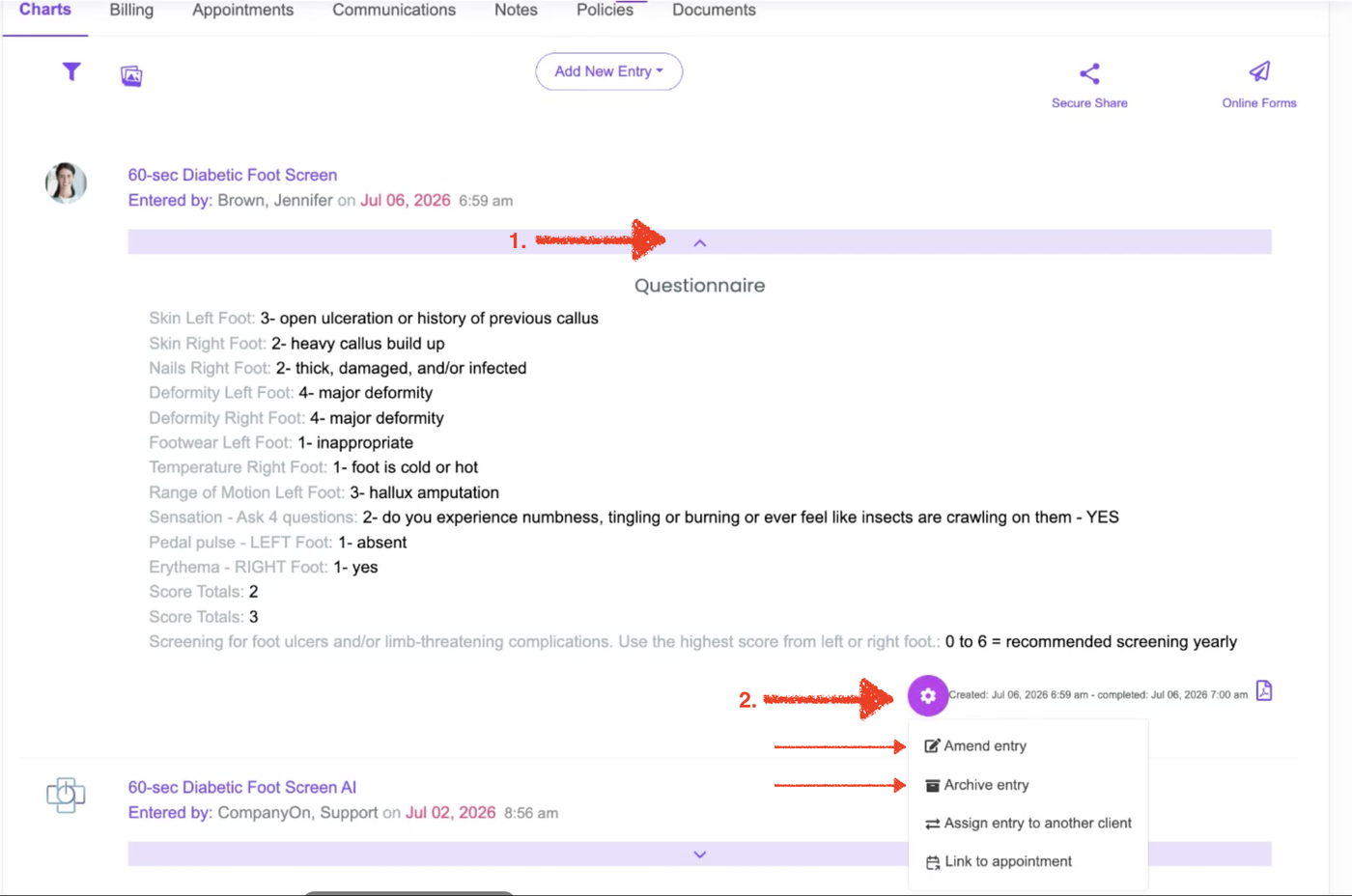

Open the client’s record and display the completed entry you would like to modify.
Click the settings wheel associated with the entry found at the bottom of the entry to the right.
Select Amend Entry.
Update the information recorded in the entry as needed.
Once the changes are complete, save the entry as Completed.
The amended information will now appear in the client’s record.
To remove the entry from the active record , click the settings wheel and select Archive Entry.