

Open the Clients Module
Click Columns.
Expand the Additional Information section to view more available fields.
Select the following columns
Last Appointment — shows the date of the client’s most recent appointment
Upcoming Appointment — shows whether the client has a future appointment scheduled
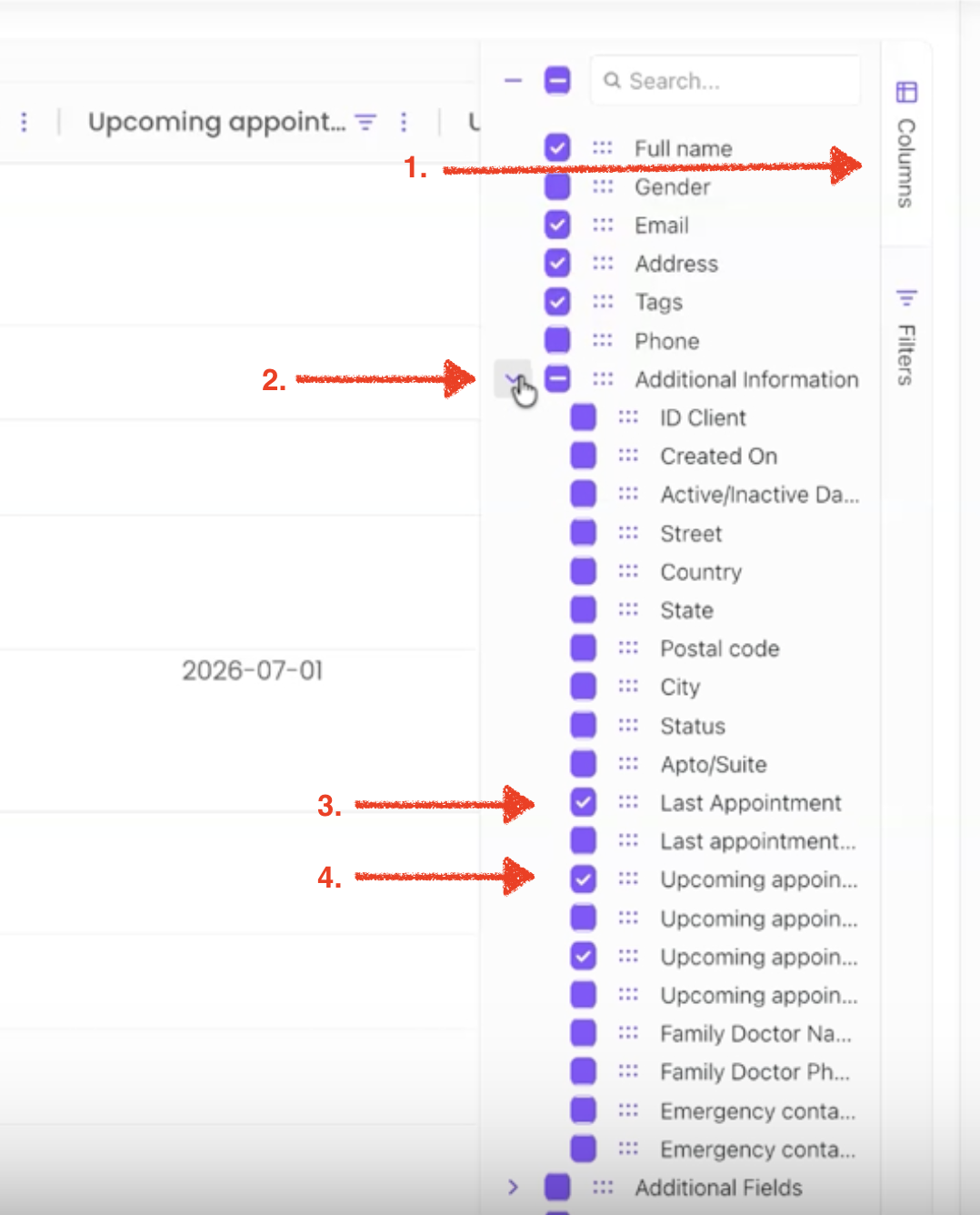
The selected columns will appear in your report automatically.
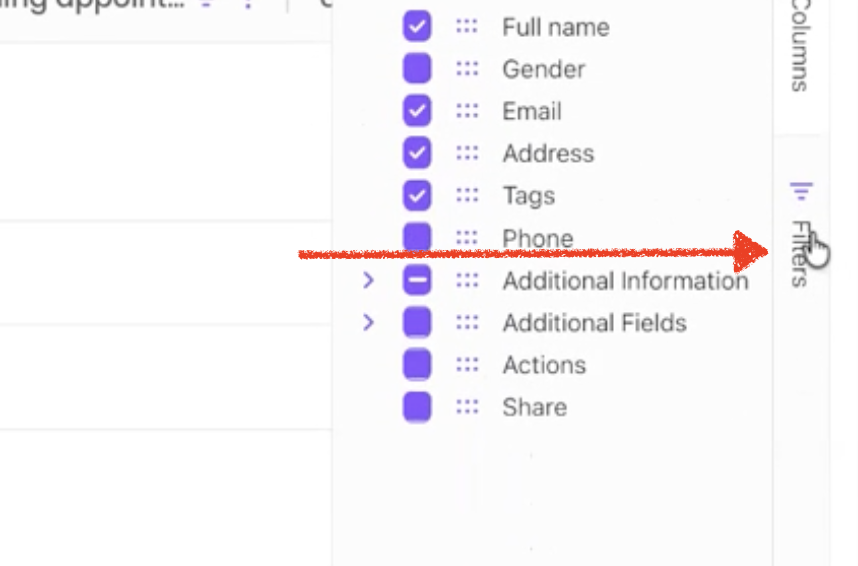
To narrow the report by the date of the last appointment, open Filters, select Last Appointment, choose a condition such as Before or After, and enter the desired date.
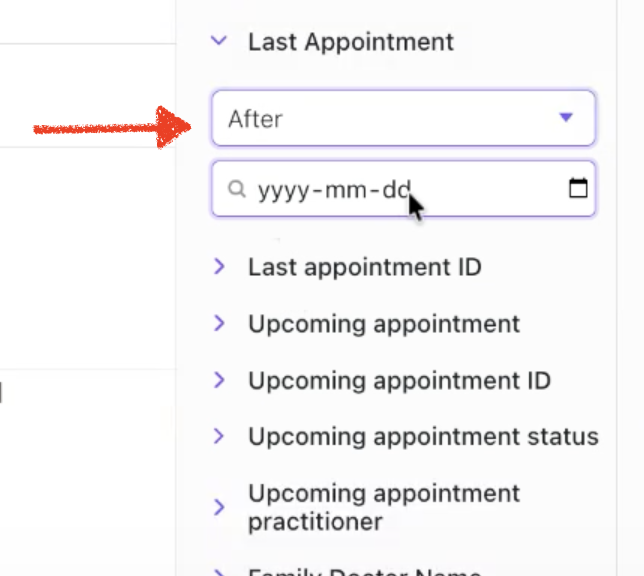
Filters for the upcoming appointment can also be applied when needed. Otherwise, leave the filter blank to include all available information.
Finally, click on the Export tab at the top bar to pull the report.