

In the left sidebar, click the money icon to open the Billing module.
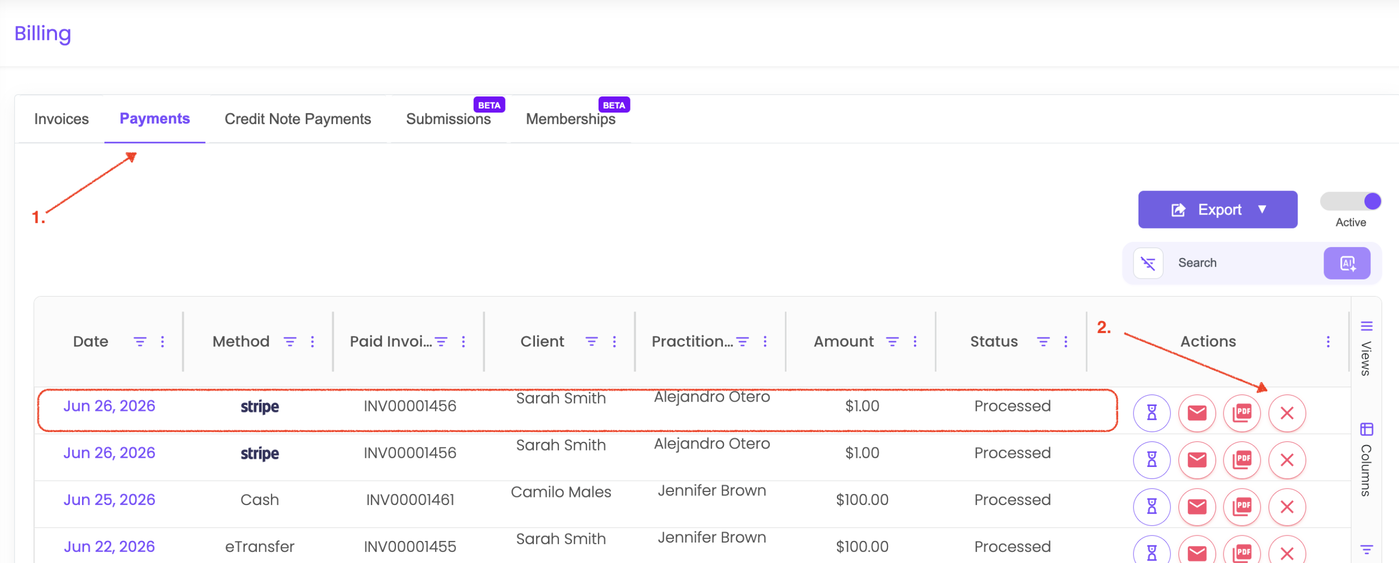
Click the Payments tab.
Locate and select the credit card payment you would like to refund.
Click the X icon associated with the payment.
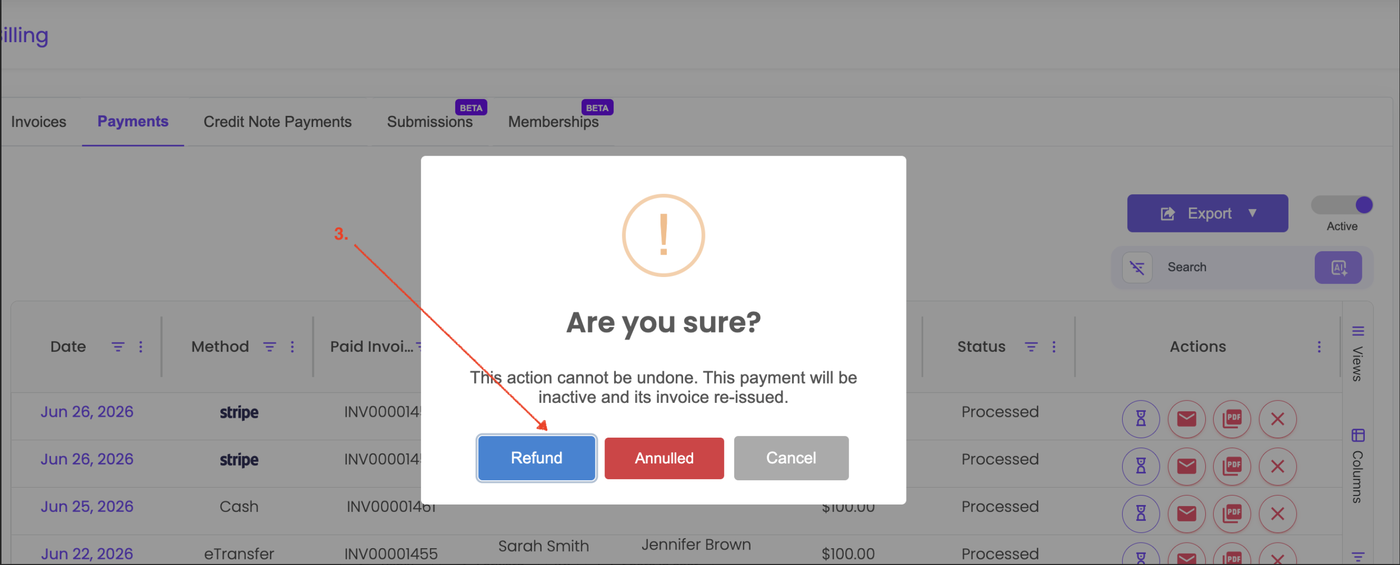
When prompted, select Refund.
Confirm the refund to return the funds to the client’s credit card.
Please note that you must have a sufficient available balance in your Stripe account for the refund to be processed.
Once the refund is completed, you can annul the invoice associated with the payment if needed.